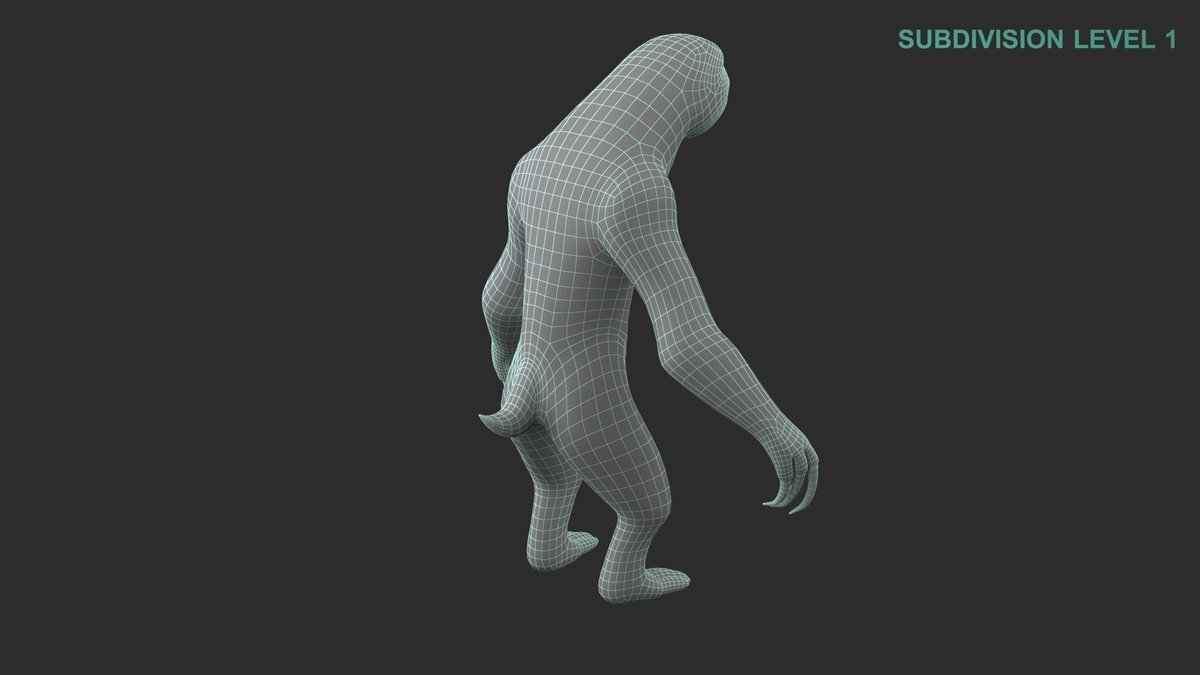
Ever dreamt of creating your own cartoon sloth character? Perhaps a laid-back guru with a penchant for philosophical naps, or a surprisingly agile secret agent who moves at an imperceptible pace? Sloths, with their endearing slowness and often enigmatic expressions, are ripe for character design. Traditionally, bringing such a vision to life required artistic skill, drawing tablets, and hours of painstaking work. But what if there was a way to bypass the learning curve and jump straight into generating stunning, unique sloth characters with just a few typed words?
Welcome to the future of character design, where Artificial Intelligence acts as your personal artistic assistant. This guide will walk you through leveraging powerful AI tools to conjure your perfect cartoon sloth, no drawing skills required. We'll dive deep into the process, from initial brainstorming to refining your AI-generated masterpiece, making character creation accessible and incredibly fun.
At a Glance: Crafting Your AI Cartoon Sloth
- Concept First: Start with a clear idea of your sloth's personality, look, and backstory. The more detailed your vision, the better the AI can interpret it.
- AI as Your Partner: Utilize AI tools like Fotor's Cartoon Character Maker to transform text descriptions or even real photos into cartoon sloths.
- Text-to-Image Power: Describe your sloth's appearance, traits, and style, and watch the AI generate a visual representation.
- Photo to Cartoon: Convert existing sloth images (or even your own selfie for a sloth-ified avatar!) into animated characters.
- 2D & 3D Options: Explore different aesthetic styles, from classic flat cartoons to dynamic three-dimensional models.
- Iterate and Refine: Don't stop at the first generation. Tweak your descriptions, experiment with styles, and customize until your sloth is perfect.
Why a Sloth? The Enduring Appeal of Slow and Steady
Before we dive into the AI mechanics, let's appreciate why a sloth is such a compelling choice for a cartoon character. Sloths defy the modern rush; their entire existence is a masterclass in slow living. This inherent tranquility, combined with their unique anatomy – long claws, expressive faces, and often a permanent grin – offers a rich canvas for creators.
They can be protagonists of heartwarming tales, comedic foils in fast-paced worlds, or even symbols of mindfulness in a busy narrative. Their slowness isn't just a physical trait; it's a personality, a philosophy. This makes them instantly recognizable and relatable, offering a humorous contrast or a comforting presence in any story you want to tell. Thinking about the deep appeal of these creatures is an excellent first step in All About Cartoon Sloths.
The AI Revolution: A New Era for Character Design
For decades, creating compelling characters involved a significant investment in traditional art skills or hiring professional artists. While these methods remain invaluable, AI has burst onto the scene, democratizing character design and empowering anyone with an idea to visualize it instantly.
AI-powered cartoon character makers, like the one offered by Fotor, are essentially sophisticated artistic engines. You provide the input – be it text, an image, or a selection of styles – and the AI processes this information, drawing from vast datasets of existing art to generate something new and unique. This isn't just a filter; it's an intelligent algorithm capable of interpreting complex descriptions and translating them into coherent visual art.
This shift means less time spent on technical execution and more time focused on the creative core: the character's personality, backstory, and visual identity. It frees you to experiment rapidly, iterate on ideas, and explore possibilities that might have been too time-consuming or costly before.
Unleashing Your Imagination: Brainstorming Your Sloth's Vibe
Even with AI doing the heavy lifting, a successful character always starts with a strong concept. Think of the AI as a super-talented but literal artist; it needs clear instructions. Before you touch any buttons, grab a notebook and sketch out these core ideas for your sloth.
Give Your Sloth a Soul: Personality and Backstory
What makes your sloth tick (or, more accurately, slowly drift)?
- Personality Traits: Is your sloth perpetually sleepy, surprisingly wise, incredibly clumsy, secretly mischievous, or a zen master? Adjectives are your best friends here.
- Quirks and Habits: Do they hum off-key, have an insatiable love for mangoes, or collect miniature hats?
- Motivation/Goal: What does your sloth want? To find the perfect napping spot, save the rainforest, or just make it to the next tree branch?
- Name: A good name can instantly define a character. "Sidney the Scribe," "Professor Ponder," "Captain Chill."
- Brief Backstory: Where do they come from? How did they become who they are? A simple origin story adds depth.
Visual Cues: Anatomy, Color Palette, and Expression
How does your sloth look? This is where the AI will shine, so be descriptive.
- Overall Build: Are they fluffy and round, sleek and slender, unusually tall, or adorably stubby?
- Color Scheme: Beyond typical greens and browns, consider vibrant blues, pastel pinks, or earthy tones. What color are their fur, eyes, and nose?
- Unique Features: Do they have a monocle, a leaf hat, glowing eyes, a missing tooth, or perhaps an unusual marking on their fur?
- Facial Expressions: Is their default a contented smile, a thoughtful frown, or a surprised gasp? Think about eye shape, mouth line, and brow position.
- Accessories: A tiny backpack, a flower behind the ear, reading glasses, a superhero cape? These details add character.
Defining Their World: Context and Style
Where does your sloth live, and what kind of art style suits them best?
- Environment: Are they in a lush rainforest, a bustling city park, a cozy library, or floating in space? The setting can influence their design.
- Art Style: Do you envision a classic Disney-esque feel, a minimalist flat design, a gritty graphic novel style, or something whimsical and childlike? This is a crucial detail for the AI.
- Purpose: Is this character for a comic, an avatar, a game, or merchandise? This can dictate complexity and rendering style.
Understanding these fundamental principles of character design ensures your AI output isn't just pretty, but meaningful.
Fotor's AI: Your Creative Co-Pilot for Sloths
Now, let's get into the tools that make this magic happen. Fotor's online AI-powered Cartoon Character Maker is an excellent example of a tool designed to streamline character creation. It offers several powerful features that are perfect for creating your own cartoon sloth character.
1. Text-to-Image Magic: From Idea to Artwork
This is where your detailed brainstorming comes to life. Fotor's text-to-image functionality allows you to type out a description of your ideal sloth, and the AI algorithm will generate a cartoon representation based on your words.
How it works:
- You'll provide a prompt like: "A wise cartoon sloth, fluffy brown fur with a mossy green tint, wearing small round spectacles and holding a tiny teacup. He has a gentle, knowing smile and kind, half-closed eyes. 2D animation style."
- The AI processes this, cross-referencing its understanding of sloths, spectacles, teacups, and cartoon styles, to produce an image.
- This is incredibly powerful for bringing abstract ideas into concrete visuals without lifting a pencil.
2. Sloth from a Snapshot: Cartoonizing Photos
Have a real photo of a sloth that you love? Or maybe you want to see yourself as a sloth character? Fotor’s "Cartoonize Photos" feature lets you transform real-life images into animated cartoons with a single click.
How it works:
- Upload a photo of a sloth (or any image).
- The AI analyzes the photo's features – outlines, colors, shapes – and applies creative cartoon filters.
- In seconds, your realistic photo is converted into a stylized cartoon version, perfect for inspiring or directly creating your sloth character. This is especially useful if you have a specific real-world reference you want to base your character on.
3. Your Sloth Twin: Generating Avatars
If you're looking for a cartoon version of yourself with a sloth twist, or just a custom sloth icon, the AI Avatar Maker is for you. You can create a cartoon version of yourself, then potentially modify it with sloth-like features, or simply select from various cartoon avatar templates and customize them.
How it works:
- Upload your photo or choose a template.
- Customize elements like colors, layout, and add sloth-like details (e.g., fur texture, three-toed hands, a sleepy expression) to create your unique sloth avatar.
4. 2D or 3D: Your Sloth, Your Style
Fotor's tool offers the flexibility to generate both 2D and 3D characters. This is a significant advantage, as it allows you to explore different animation and artistic styles for your sloth character.
- 2D Characters: Ideal for traditional animation, comics, flat design, or simple avatars. They offer a classic, often timeless, cartoon aesthetic.
- 3D Characters: Perfect for games, more dynamic animations, or merchandise mock-ups. They have depth and can be viewed from multiple angles, offering a more contemporary feel.
This versatility means your sloth can fit into a wider range of creative projects, from a simple social media icon to a fully animated short film. Exploring different exploring different AI art tools can also reveal unique stylistic options for your sloth.
Your Step-by-Step Journey to an AI Sloth Masterpiece
Ready to bring your sloth to life? Here's how to use Fotor's AI Cartoon Generator, broken down into simple, actionable steps.
Step 1: The Blueprint – Your Detailed Prompt
Before you even open the tool, revisit your brainstormed ideas. The more detailed and specific your text description, the better the AI's output will be.
- Go to Fotor: Click the “Make Cartoon Characters” button to enter the AI Image Generator.
- Craft Your Prompt: In the text bubble, write a detailed description of your desired cartoon sloth character.
- Start with core identity: "A cartoon sloth character..."
- Add appearance: "...with fluffy beige fur, large, expressive sleepy eyes, a tiny upturned nose, and a permanent, gentle smile."
- Include attire/props: "...wearing a small, intricately woven straw hat adorned with a single hibiscus flower and carrying a miniature leather satchel."
- Specify personality/pose: "...He is looking directly at the viewer with an air of calm wisdom, slowly extending a three-toed hand as if in greeting."
- Define style: "...Rendered in a vibrant, slightly whimsical 2D animation style, reminiscent of Studio Ghibli, with soft shading and clear outlines."
Step 2: The Spark – Generating Your First Draft
With your detailed prompt ready, it’s time for the AI to work its magic.
- Click "Generate": Hit the generate button and let the AI process your description. This usually takes a few seconds.
- Review Initial Outputs: The AI will likely provide a few variations based on your prompt. Take a moment to examine each one. Do any of them capture the essence of what you imagined?
Step 3: The Polish – Refining and Customizing
Rarely will the very first generation be perfect. This is where you become the director, guiding the AI towards your ideal sloth.
- Select a Preferred Style: Fotor allows you to select from various cartoon styles. Experiment! If your initial prompt specified "2D animation," try a "3D rendered" option to see a different interpretation.
- Adjust Details: Look for options to refine aspects like:
- Ratios: Change the aspect ratio to suit your intended use (e.g., square for avatars, wide for banners).
- Details: Are the fur textures soft enough? Are the eyes expressive? You might adjust parameters related to detail level.
- Light Effects: Experiment with different lighting to give your sloth character mood and depth. Soft, diffused light creates a calm atmosphere, while sharper light can add drama.
- Regenerate with Tweaks: If none of the initial generations are quite right, don't just give up. Adjust your text prompt. Add more specifics, remove elements that aren't working, or try different synonyms. For example, if "sleepy eyes" isn't giving the desired effect, try "heavy-lidded, serene gaze." Continue this iterative process until you get closer to your vision.
Step 4: The Reveal – Downloading Your Creation
Once you're satisfied with your AI-generated cartoon sloth, it's time to save it.
- Click the Download Icon: Locate the download button, usually represented by an arrow pointing downwards, and save your AI-generated cartoon character to your device.
- File Format: Most tools will offer standard image formats like PNG or JPG, suitable for various uses.
Mastering the AI Prompt: Secrets to a Perfect Sloth
The art of generating compelling AI images lies in your prompts. Think of it as speaking a new language to your creative partner. Here are some pro tips for crafting sloth-tastic prompts.
- Specificity is Your Superpower: Vague prompts lead to generic results. Instead of "a cute sloth," try "a baby sloth with oversized glistening black eyes, a tiny pink nose, and soft, fuzzy grey fur, clinging to a vibrant green vine, rendered in a Pixar-like style."
- Use Descriptive Adjectives and Verbs: "Grizzled," "glowing," "cunning," "ambling," "perched," "lounging." These words paint a clearer picture for the AI.
- Reference Art Styles/Artists: Don't be afraid to name-drop. "In the style of Studio Ghibli," "pixel art," "hyperrealistic digital painting," "retro cartoon from the 1930s," "concept art by [famous artist]."
- Define the Mood/Atmosphere: "Peaceful," "energetic," "mysterious," "comedic," "melancholy." This adds emotional depth to your visual.
- Exclude What You Don't Want: Sometimes, telling the AI what not to include is as important as what to include. Use negative prompts if available (e.g., "ugly, distorted, blurry").
- Embrace Iteration: Your first prompt is rarely your best. Generate, observe, refine your prompt, and generate again. It's a dialogue with the AI.
- Consider the Setting: Even if it's just a blank background, mentioning "white background" or "dense jungle background" can influence the character's immediate surroundings and lighting.
Beyond Generation: Elevating Your Sloth Character
Generating your sloth is just the beginning. To truly make it a character, consider these elements:
Consistent Storytelling and Expressions
A character needs to feel alive across different poses and emotional states.
- Expression Sheet: Even if AI-generated, try to generate your sloth in various moods: happy, sad, angry, surprised, confused. This helps establish emotional consistency and makes your sloth more relatable.
- Contextual Poses: Generate your sloth performing actions relevant to its personality. A wise sloth reading a scroll, a clumsy sloth tangled in a branch, an adventurous sloth peeking from behind a leaf. This is crucial for how characters drive compelling stories.
Accessories and Environmental Context
These details can tell a story without a single word.
- Props: The specific items your sloth carries or interacts with (a tiny magnifying glass, a peculiar flower, an old book) reveal their interests and role.
- Background Elements: A hint of a tree canopy, a sparkling river, or a distant mountain range can ground your character in a believable world. You can prompt the AI to include these elements directly.
Considering Animation and Movement
If your goal is to animate your sloth, even slightly, think about its design from a motion perspective.
- Simple Forms: While AI can generate intricate designs, simpler forms are often easier to animate, especially for beginners.
- Clear Joints: Ensure your sloth's limbs and body sections are distinct enough for movement, even if subtle.
- Expressions for Motion: Design expressions that translate well into movement, like a slow blink or a yawn. This foresight is invaluable for bringing your cartoon characters to life through animation.
Common Hurdles & How to Glide Past Them
Even with powerful AI, you might encounter some bumps in the road. Knowing how to troubleshoot can save you frustration.
The Vague Prompt Trap
Problem: Your AI-generated sloth looks generic, or doesn't match your vision.
Solution: Your prompt was likely too general. Go back and add more specific details about appearance, personality, style, and context. Break down complex ideas into smaller, clearer phrases. Instead of "funny sloth," try "a comical sloth wearing a bright yellow bowler hat, with one eye winking mischievously, standing on a unicycle that's slightly too small for him."
Forgetting the "Human Touch"
Problem: The AI output is technically sound but lacks soul or originality.
Solution: AI is a tool, not a replacement for your creativity. Use the AI to generate ideas, then step back. What's missing? How can you inject more of your unique perspective? Perhaps you need to combine elements from different AI generations, or use the AI output as a base for further hand-drawn (or digitally painted) refinements. The human element, your unique vision, is what makes a character truly special.
Intellectual Property: A Quick Note
Problem: You're unsure about the rights to AI-generated art.
Solution: This is a rapidly evolving legal area. Always check the terms of service for the specific AI tool you are using (like Fotor). Many platforms grant you commercial rights to the images you generate, but it's crucial to verify. If you're using real photos as a base (e.g., cartoonizing a photo), ensure you have the rights to use those photos. When in doubt, err on the side of caution or consult legal advice if your project has significant commercial implications.
Bringing Your Sloth's World to Life: Next Steps
You've successfully created your own cartoon sloth character with AI. Now what? The possibilities are as vast as your imagination.
From Page to Product: Merchandising & Branding
Your sloth isn't just an image; it's a brand waiting to happen.
- Merchandise: Design t-shirts, mugs, stickers, or keychains featuring your sloth. The unique appeal of a well-designed sloth can translate into highly marketable products.
- Personal Branding: Use your sloth as an avatar or mascot for your social media, blog, or creative portfolio. It instantly gives you a memorable visual identity.
- Commercial Ventures: If you're building a business, your sloth could be the face of your brand, especially for products related to relaxation, nature, or slow living. Understanding ways to monetize your cartoon creations can help turn your hobby into a venture.
Animation & Storyboarding: Letting Your Sloth Move
If your character has a story to tell, animation is the ultimate medium.
- Short Animations: Use your AI-generated sloth as a reference for creating simple animated loops or short films. There are many user-friendly animation software options available.
- Storyboarding: Use different AI-generated poses and expressions of your sloth to create a visual sequence, laying out the narrative beats of your story.
Building a Universe: Comics, Games, & More
Your sloth can be the star of its own universe.
- Comic Strips: Create a series of comic panels featuring your sloth's adventures, using AI for consistent character art and even background elements.
- Simple Games: Develop a basic platformer or puzzle game around your sloth character, leveraging its unique traits and personality.
- Illustrated Books: Write a children's book or an illustrated narrative, bringing your sloth's story to life with the visuals you've generated.
Embrace the Creative Journey
The journey of creating your own cartoon sloth character with AI is an exciting blend of technology and imagination. It’s about leveraging powerful tools to bring your unique visions to life faster and more efficiently than ever before. Whether your sloth is destined for a simple avatar, a viral meme, or the star of an epic animated series, the power to create is now literally at your fingertips. So go forth, experiment, describe, generate, and let your inner sloth artist slowly, yet surely, conquer the digital canvas!